
Stability account
Hella! Pads uses Stable Audio 3 to generate sounds through your own Stability account. You’ll need an API key and enough credits on that account. Manage both on the Stability developer platform.
Connect your key
Section titled “Connect your key”- Open Settings using the sliders button at the upper right of the plugin.
- Paste your key into Stability API key.
- Leave Save securely in Keychain checked to remember the key on this Mac. Uncheck it to connect for the current session only.
- Click Connect. Once connected, Settings shows your credit balance.
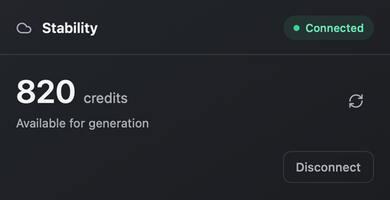
Keys are checked before they are saved in macOS Keychain. They are not included in kit presets or DAW project state. Disconnect ends the connection; your saved samples remain available.
Check your credits
Section titled “Check your credits”The toolbar’s orange credit display shows the connected account’s balance. Click it to refresh after adding credits. You can also refresh the balance in Settings. Clicking the display while disconnected opens Settings.
| Display | Meaning |
|---|---|
| A number followed by CR | Last retrieved credit balance |
| … CR | Balance is loading |
| – CR | Balance is unavailable; hover for the reason |
Credit costs and account purchases are managed by Stability. If your balance is too low, add credits there and refresh the display before trying again.
For rejected keys, credit errors, or connection problems, see generation troubleshooting.