
Hella! Pads
Hella! Pads generates individual audio samples from text descriptions. You can audition and trim a result, assign it to a pad, then play it from your controller or drag the WAV into your DAW.
Get started
Section titled “Get started”Hella! Pads 1.0.0 is available for Apple Silicon Macs running macOS 13 or later. The macOS installer includes Audio Unit, VST3, and the standalone app. Windows support is coming soon.
New sample generation needs an internet connection and your own Stability API key and credits. Saved sounds play offline.
Find your way around
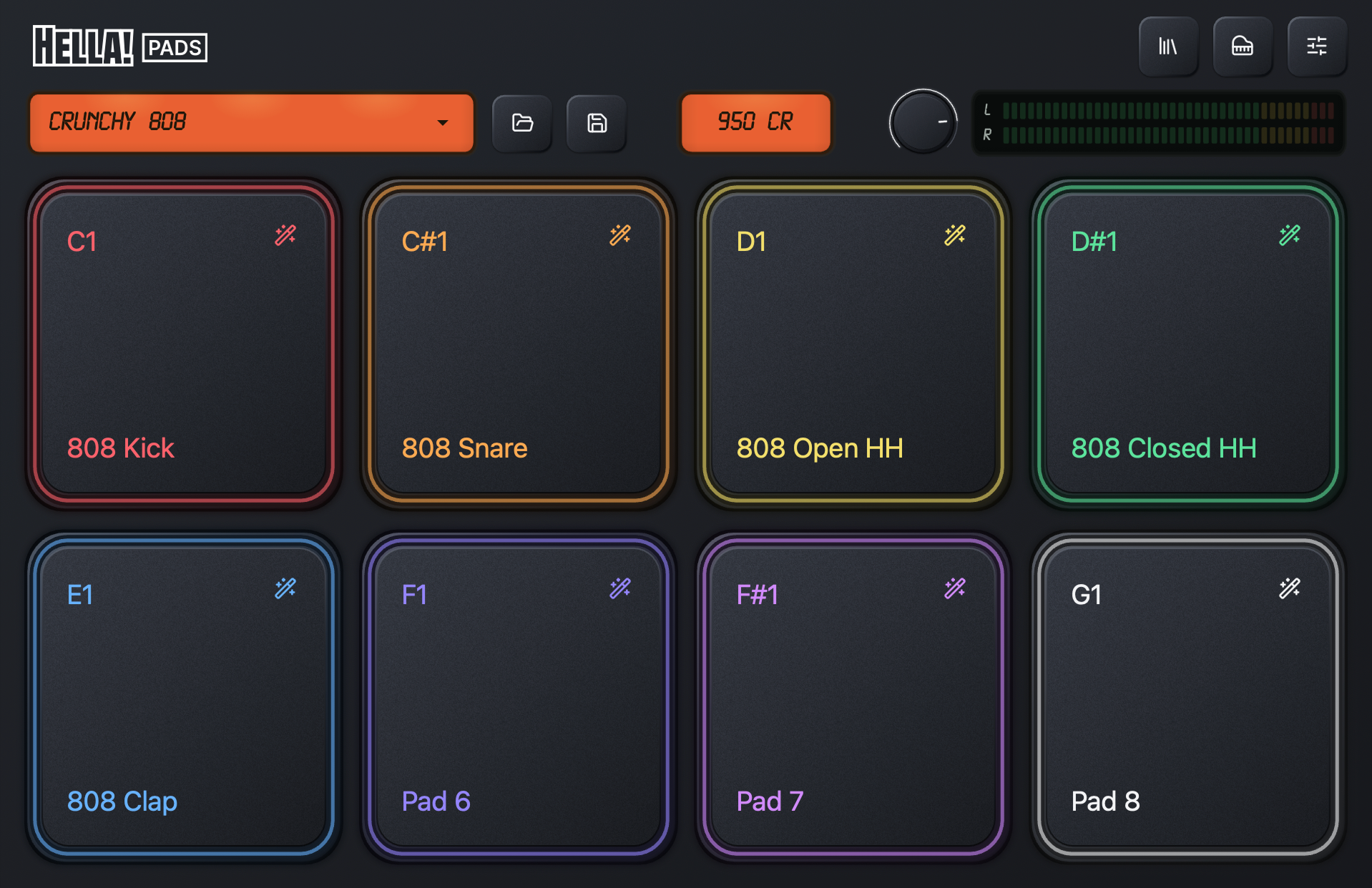
Section titled “Find your way around”The kit title, folder, and save buttons manage kit presets. The three buttons at the upper right open the Samples browser, MIDI settings, and Settings.
Click a pad to play its sample. The small settings icon on each pad opens its generation, configuration, and editing controls.
What gets saved
Section titled “What gets saved”A pad holds a sample and its playback settings. A kit is the collection of pads. A kit preset is a .hellakit file containing the kit’s saved audio and settings.
A generated preview is still a draft until you save it to a pad. Save your kit as a preset to reuse it elsewhere, and save your DAW project to keep the current instrument state with your session.